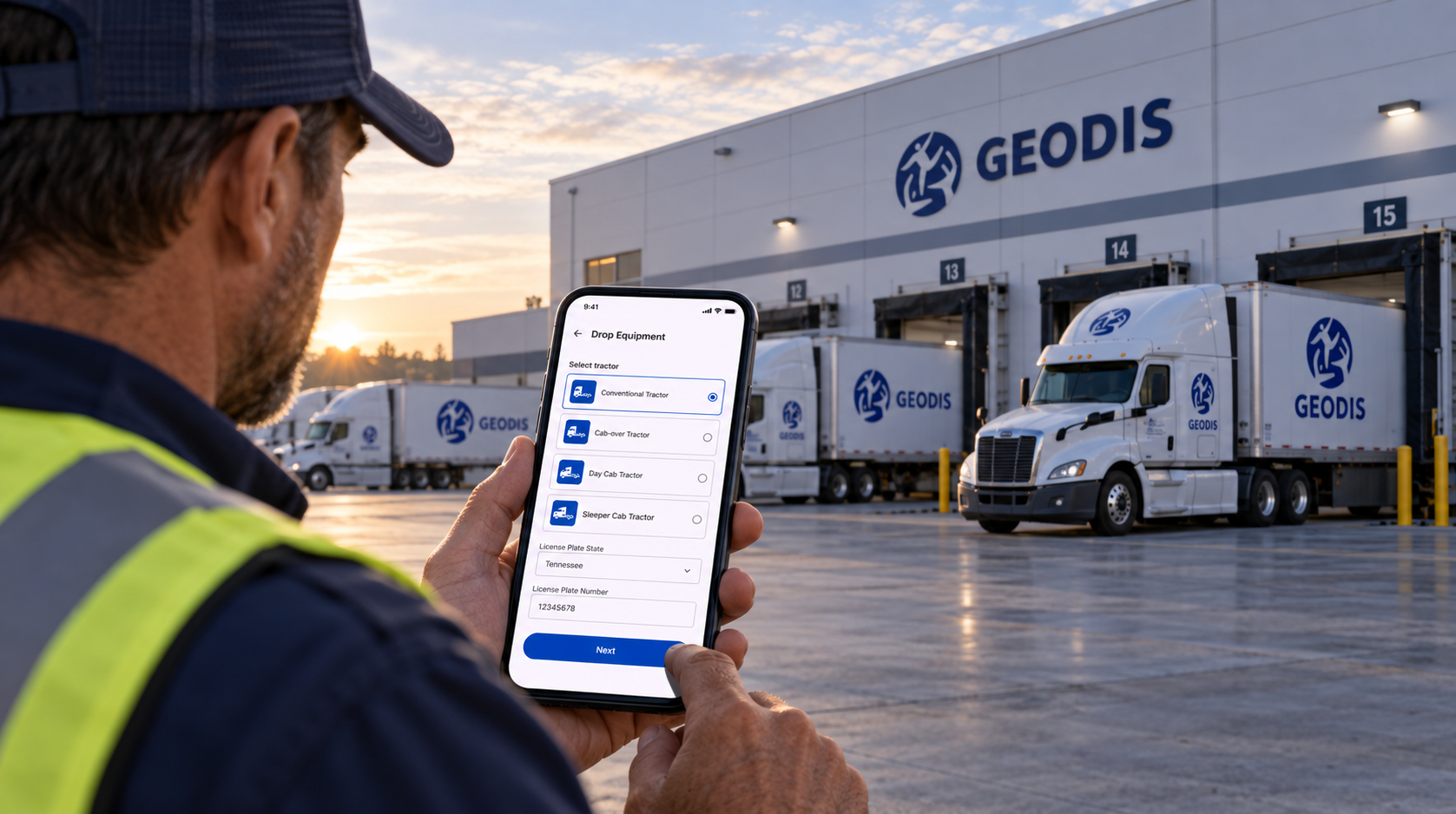
01 / Overview
One driver workflow. Two native mobile experiences.
The product centers on a connected operational journey: authenticate, find the right appointment, identify the facility and equipment, verify the details, and complete pre-arrival.
The redesign focused on preserving that job while reducing unnecessary friction, clarifying task state, and adapting interaction patterns to each mobile platform.
01 / Product role
Support focused execution
Drivers need to complete operational tasks quickly while moving between facilities, equipment, and appointment contexts.
02 / UX model
One continuous task flow
Each screen advances the same operational journey rather than behaving like an isolated form or utility.
03 / Platform strategy
Shared architecture, native behavior
Android and iOS preserve the same product meaning while using platform-appropriate navigation, selection, controls, actions, and system integrations.
Shared product principle
Standardize the job to be done.
Adapt the interaction pattern to the platform.
02 / Starting Point
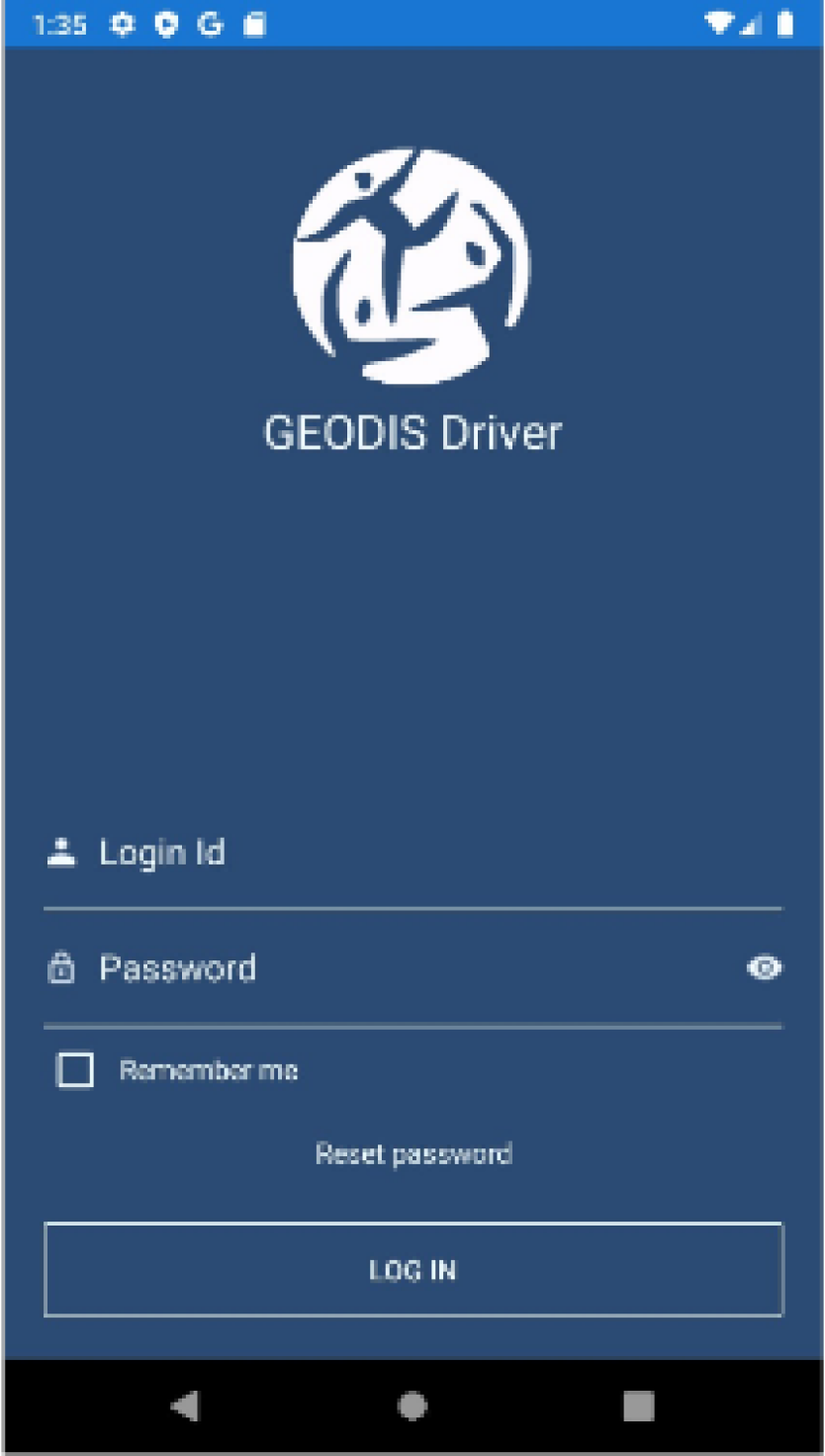
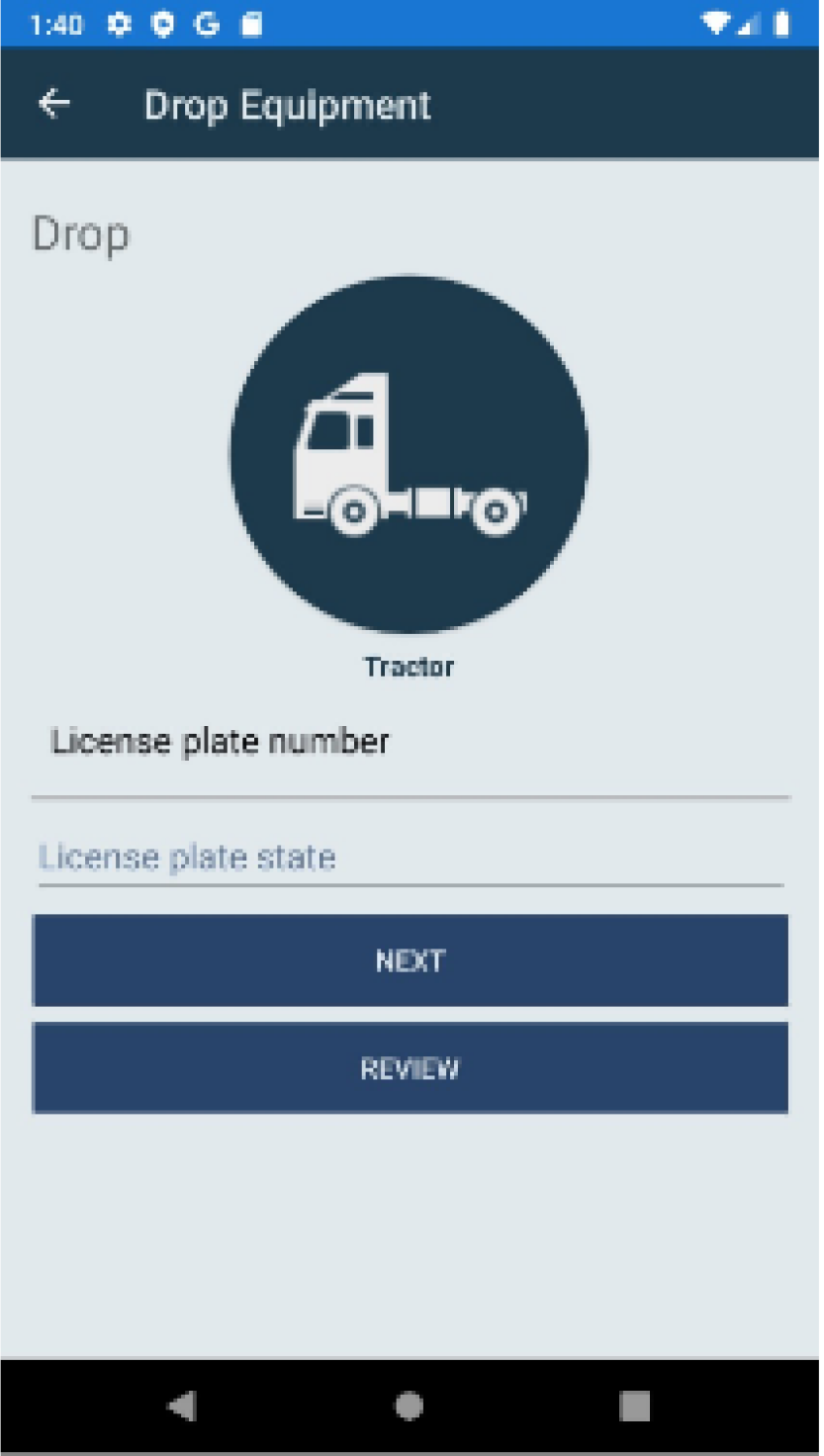
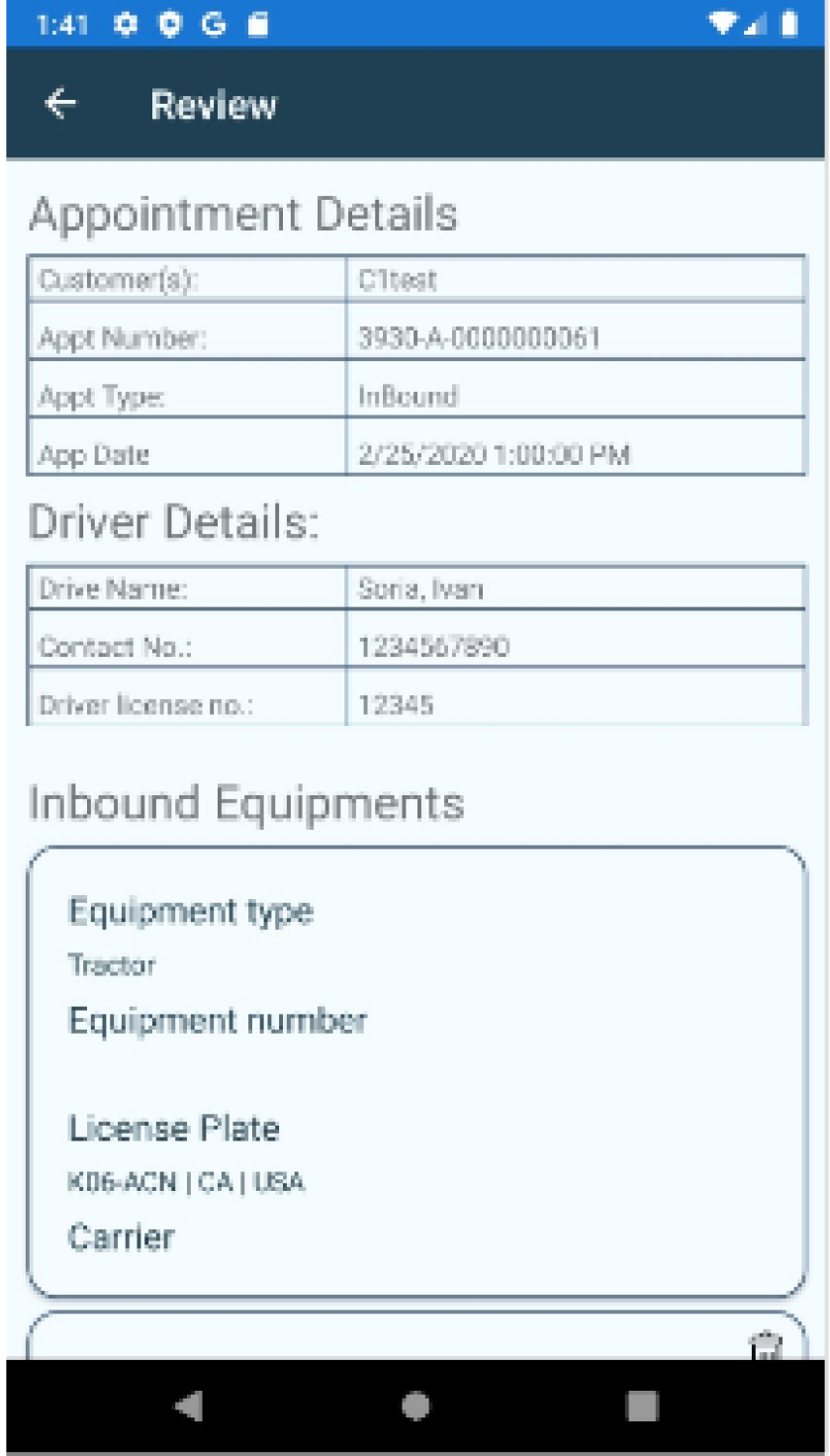
The legacy experience carried the workflow, but not modern mobile expectations.
The original product represented the operational job drivers needed to complete, but its hierarchy, density, navigation, and interaction patterns reflected an older mobile model. The redesign modernized how drivers understood and moved through it.
Visual hierarchy
Dense presentation made task priority harder to scan.
Readability
Information and controls competed for attention.
Navigation
Older patterns did not consistently communicate progression or return paths.
Mobile interaction
The workflow needed contemporary Android and iOS conventions.
03 / Product Challenge
Modernize the experience without changing the operational job.
Improve clarity and efficiency while preserving business logic already understood by drivers and operations teams. Separate the stable workflow from the interaction conventions used to express it.
Existing operational tasks and product logic
Simplified progression and common architecture
Native presentation and interaction
Clarity
Make the next task and current state easy to understand.
Efficiency
Reduce unnecessary interpretation and repeated decision-making.
Platform fit
Use conventions users already understand.
04 / Core Driver Journey
One connected journey from authentication to pre-arrival.
Workflow principle
Every screen should answer two questions: Where am I in the task? What do I need to do next?
05 / Cross-Platform Strategy
One product architecture, two native experiences.
The Android and iOS experiences share task order, business rules, data relationships, validation logic, and completion states. They do not need identical interface patterns.
Android — Material 3
Designed for Android conventions
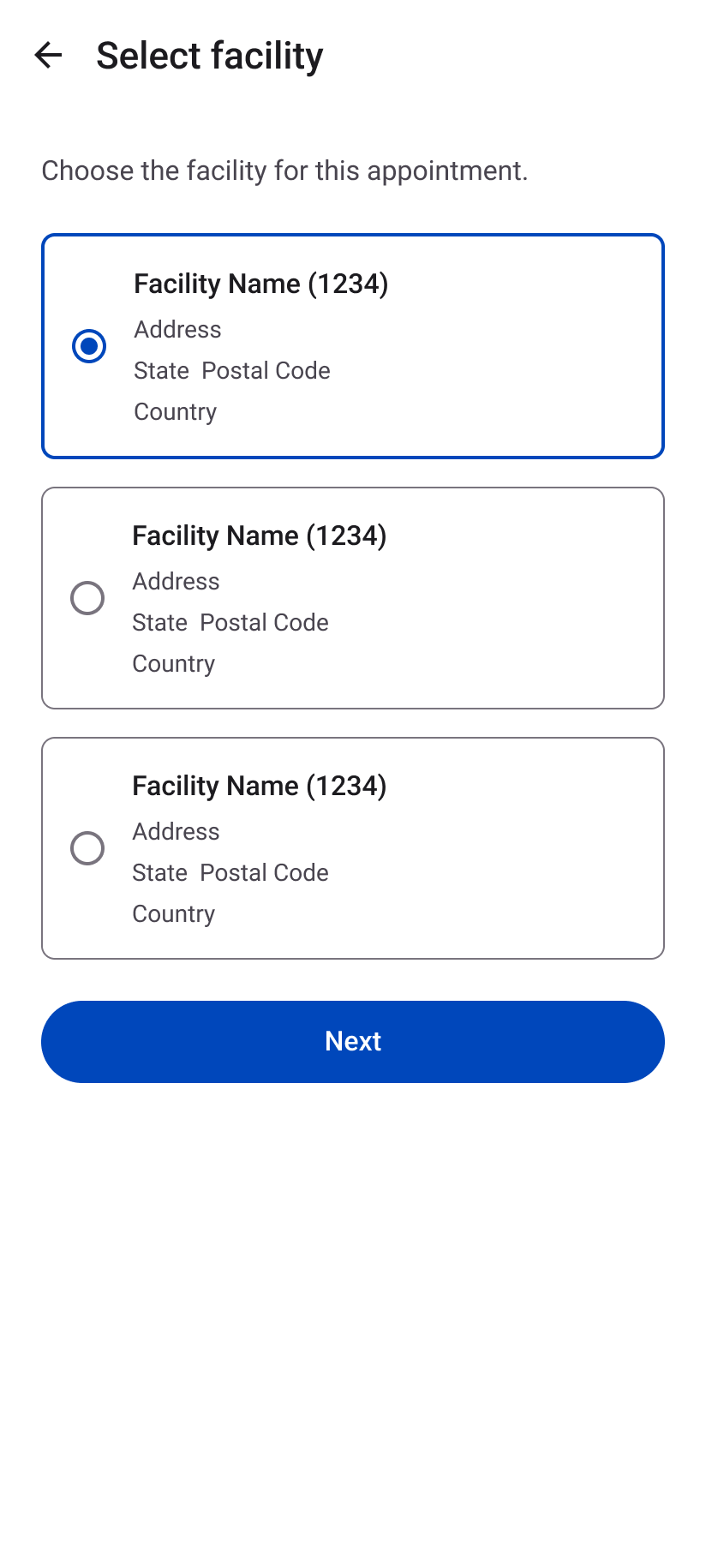
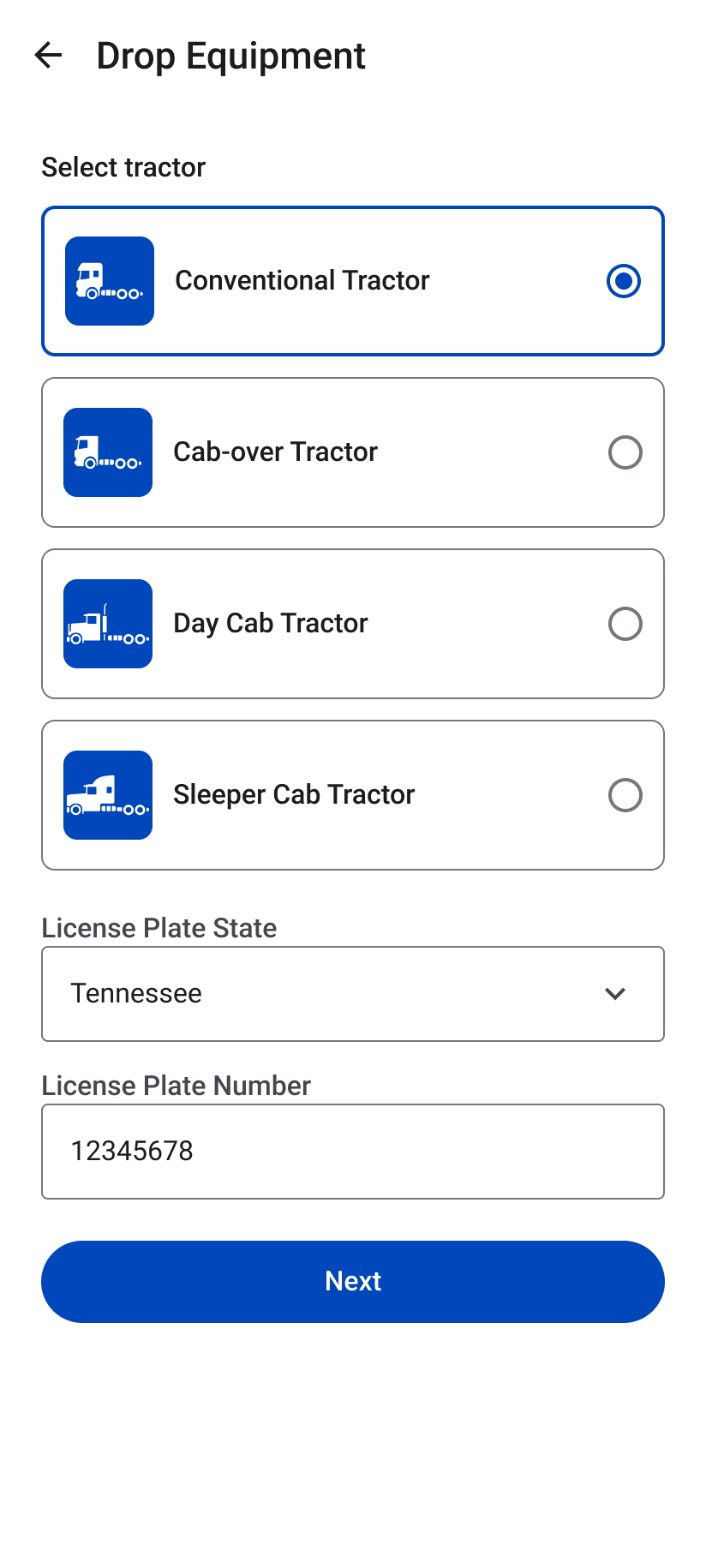
Material 3 hierarchy, form behavior, selection patterns, spacing, surfaces, and action treatment make the workflow feel native.
Material form controls · Clear selection states · Native action hierarchy
iOS — Apple HIG
Designed for Apple conventions
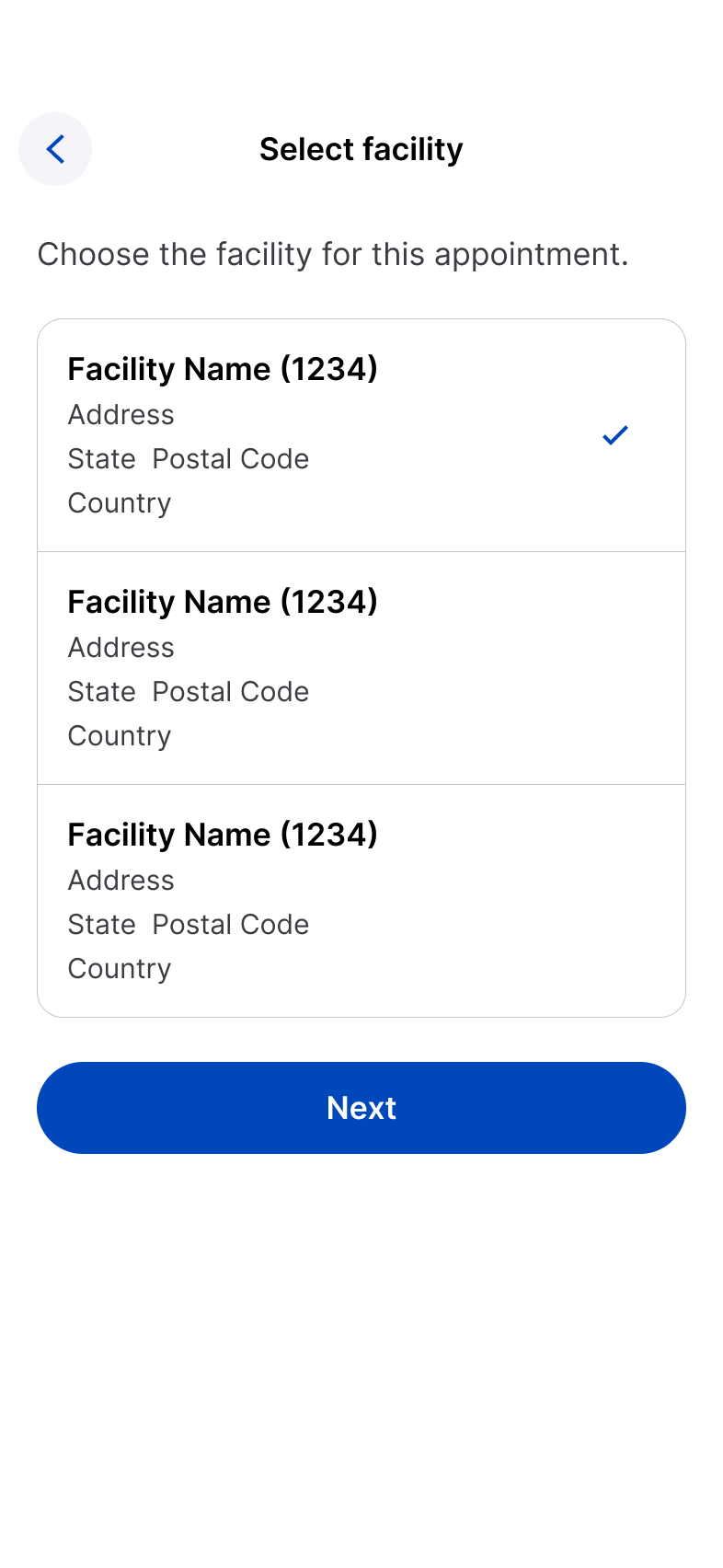
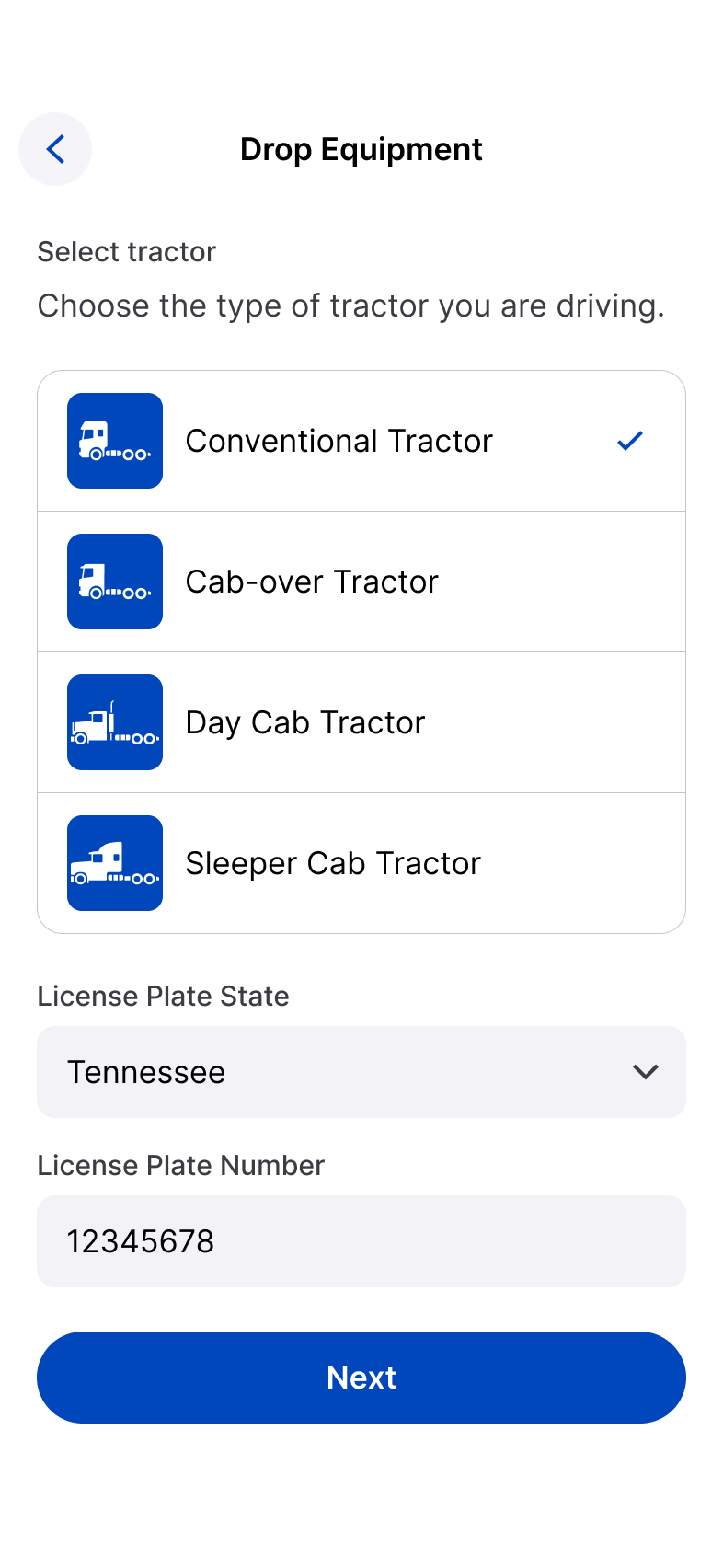
Navigation, grouped content, selection behavior, field treatment, and system actions adapt to Apple expectations.
Compact navigation · Checkmark selection · Apple system actions
Shared business logic
Same task. Same information. Same decision.
Different native expression.
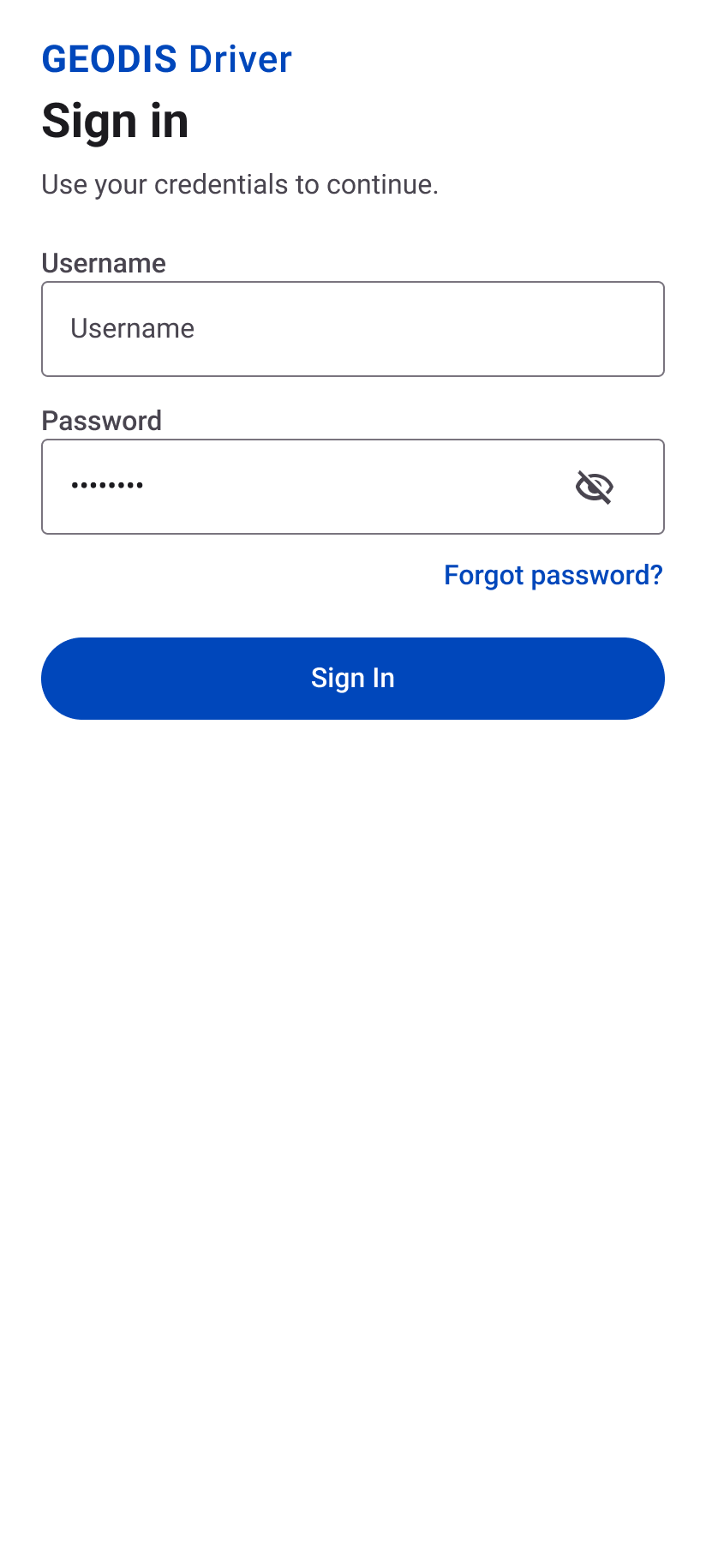
06 / Authentication + Recovery
Trust starts before the operational workflow begins.
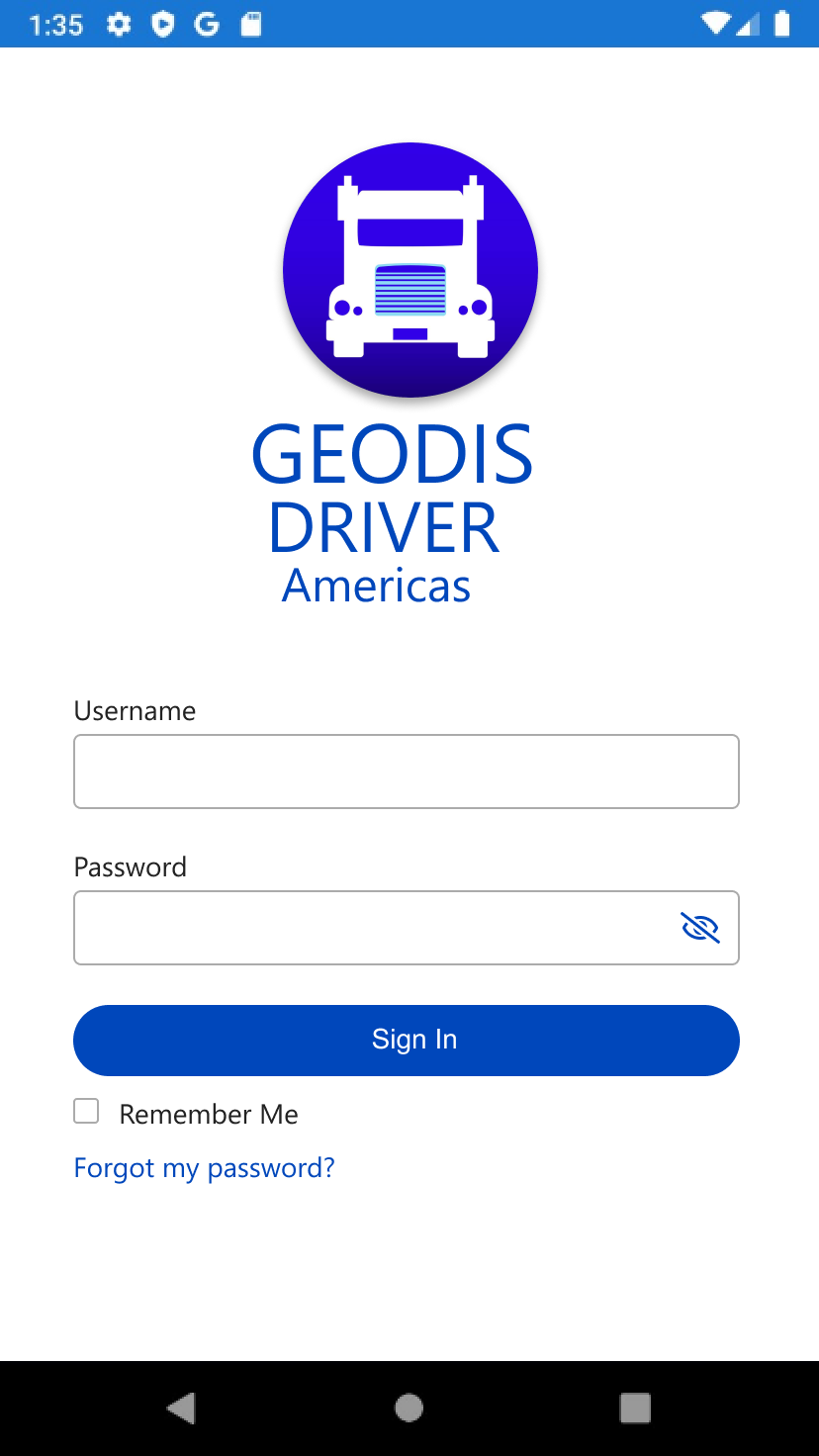
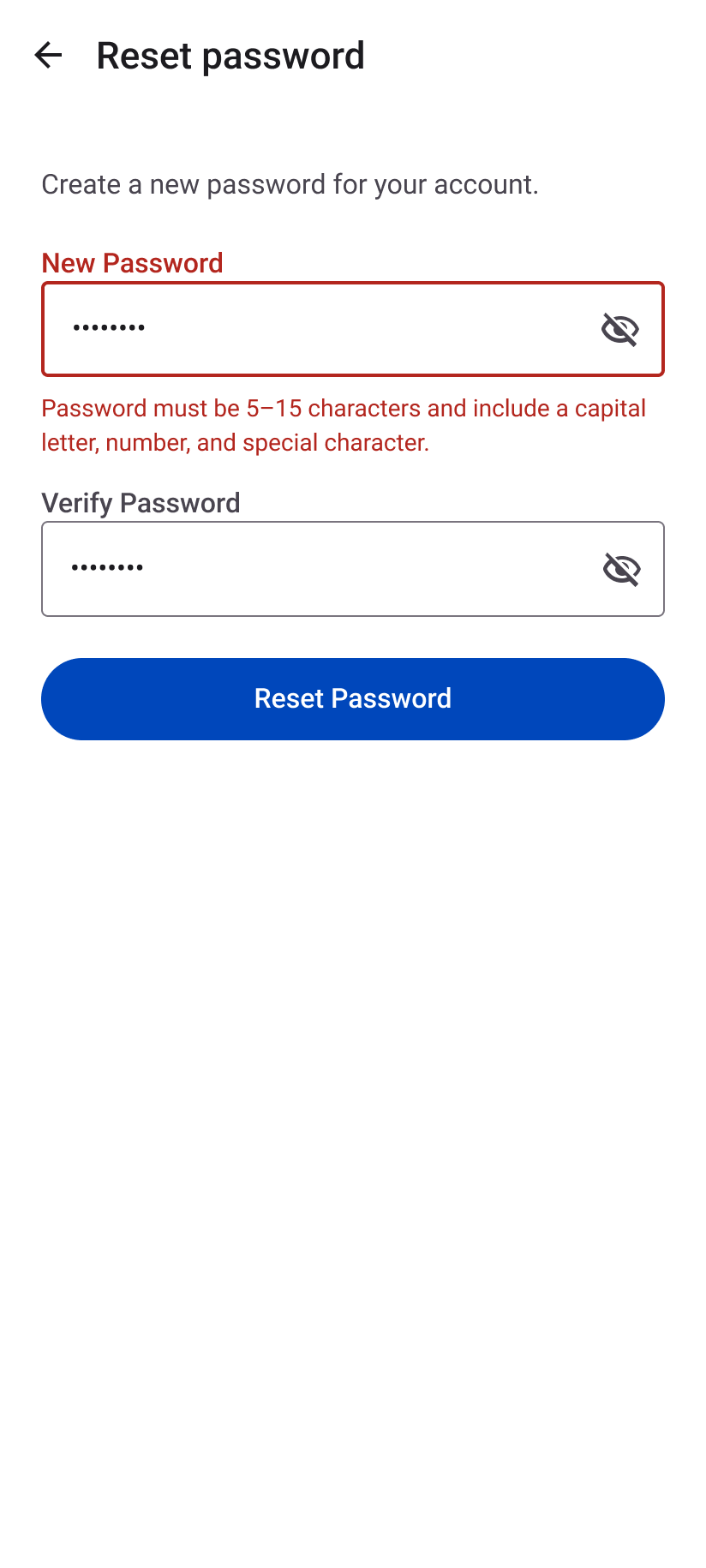
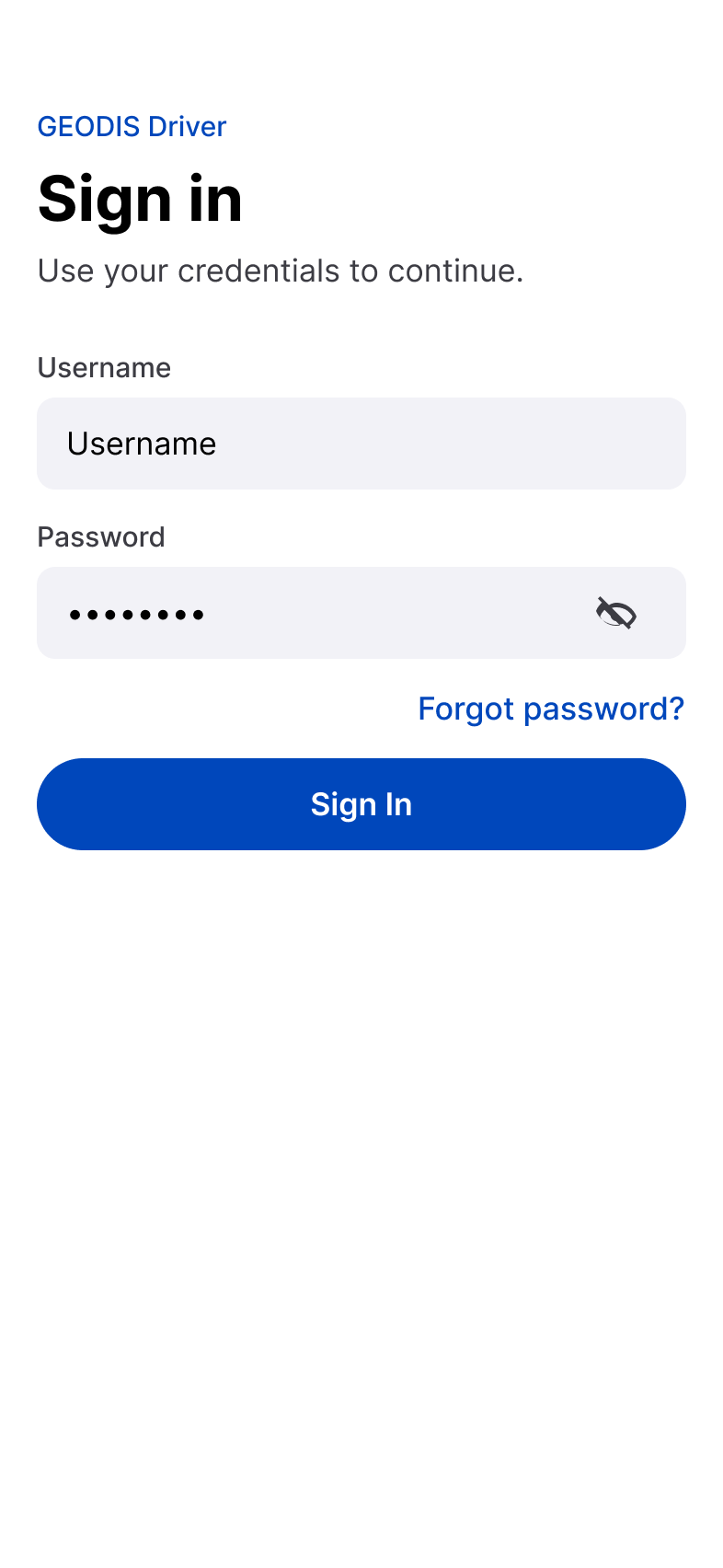
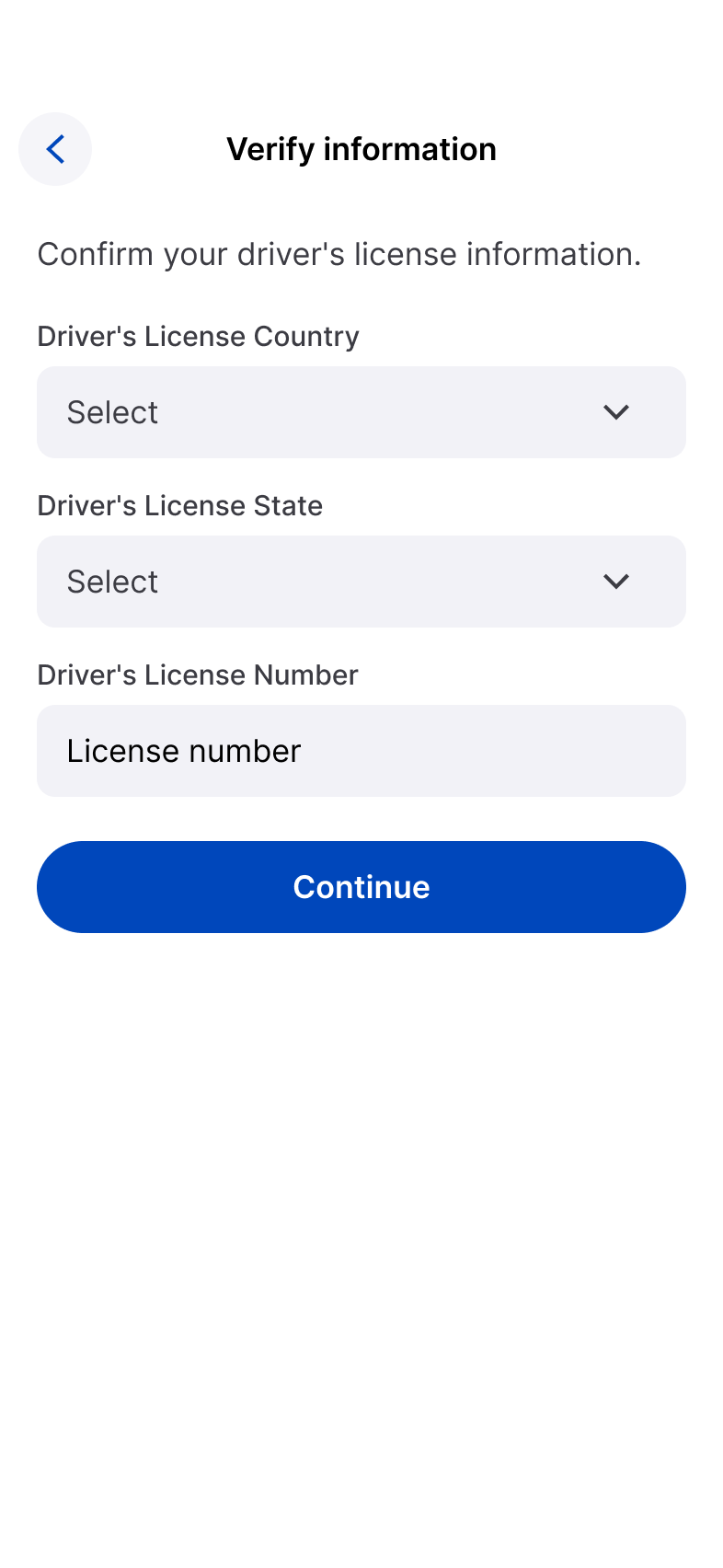
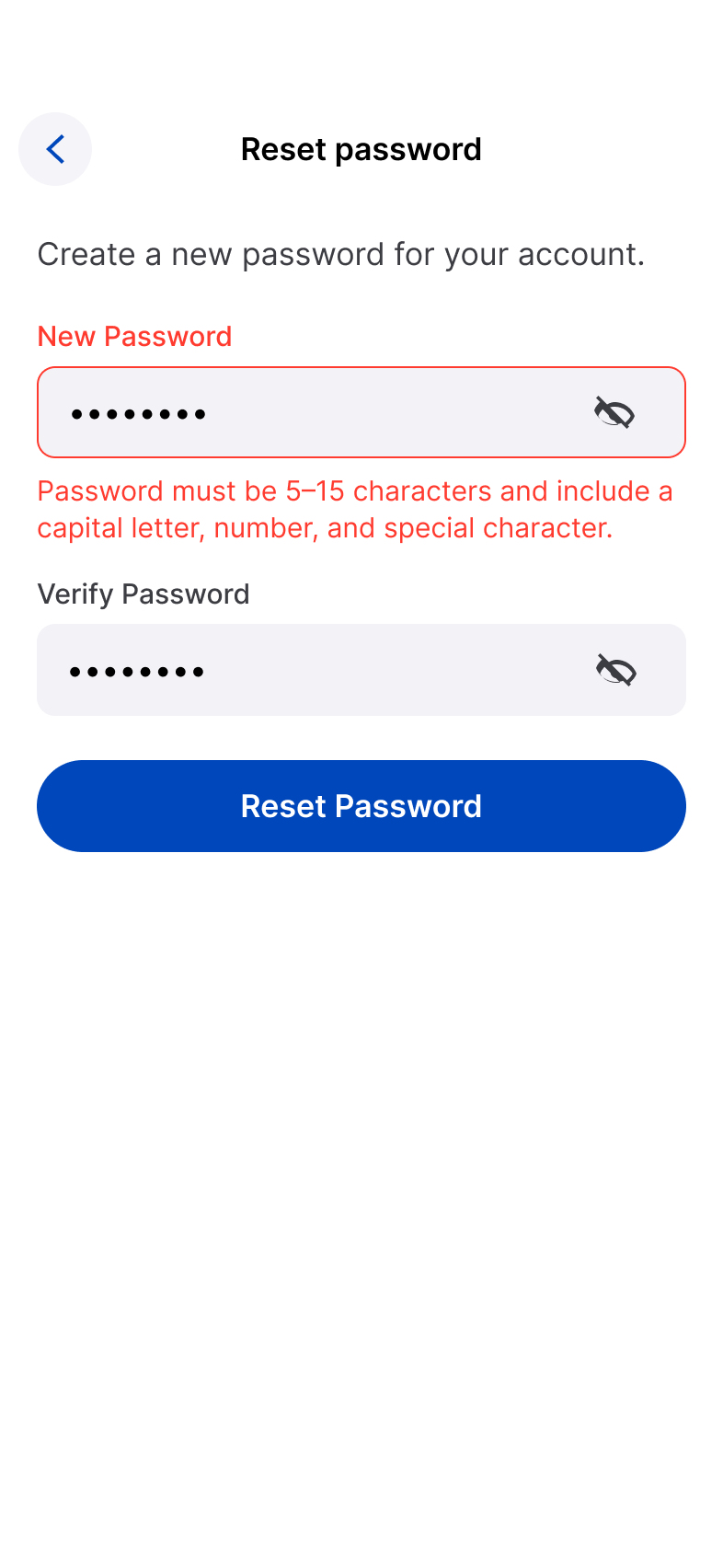
Authentication and account recovery were treated as part of the product experience. The source includes Sign In, Forgot Password, Verify Information, Reset Password, Validation Error, and End User License Agreement.
Clear entry
Give drivers a direct path into the application with obvious credential and recovery options.
Recoverable failure
Validation and authentication errors should explain what needs attention without dead ends.
Legal + account continuity
Required agreements and identity verification remain integrated into the mobile flow.
Android — Material 3

iOS — Apple Human Interface Guidelines
07 / Appointment + Facility
Reduce the operational search problem before asking for detail.
The flow separates discovery from downstream equipment and review tasks so drivers establish the correct operational context first.
Appointment search
Find the operational record that begins the workflow.
Facility selection
Confirm where the appointment will be handled before decisions continue.
Android — Material 3

iOS — Apple Human Interface Guidelines

08 / Equipment + Review
Make equipment selection explicit before commitment.
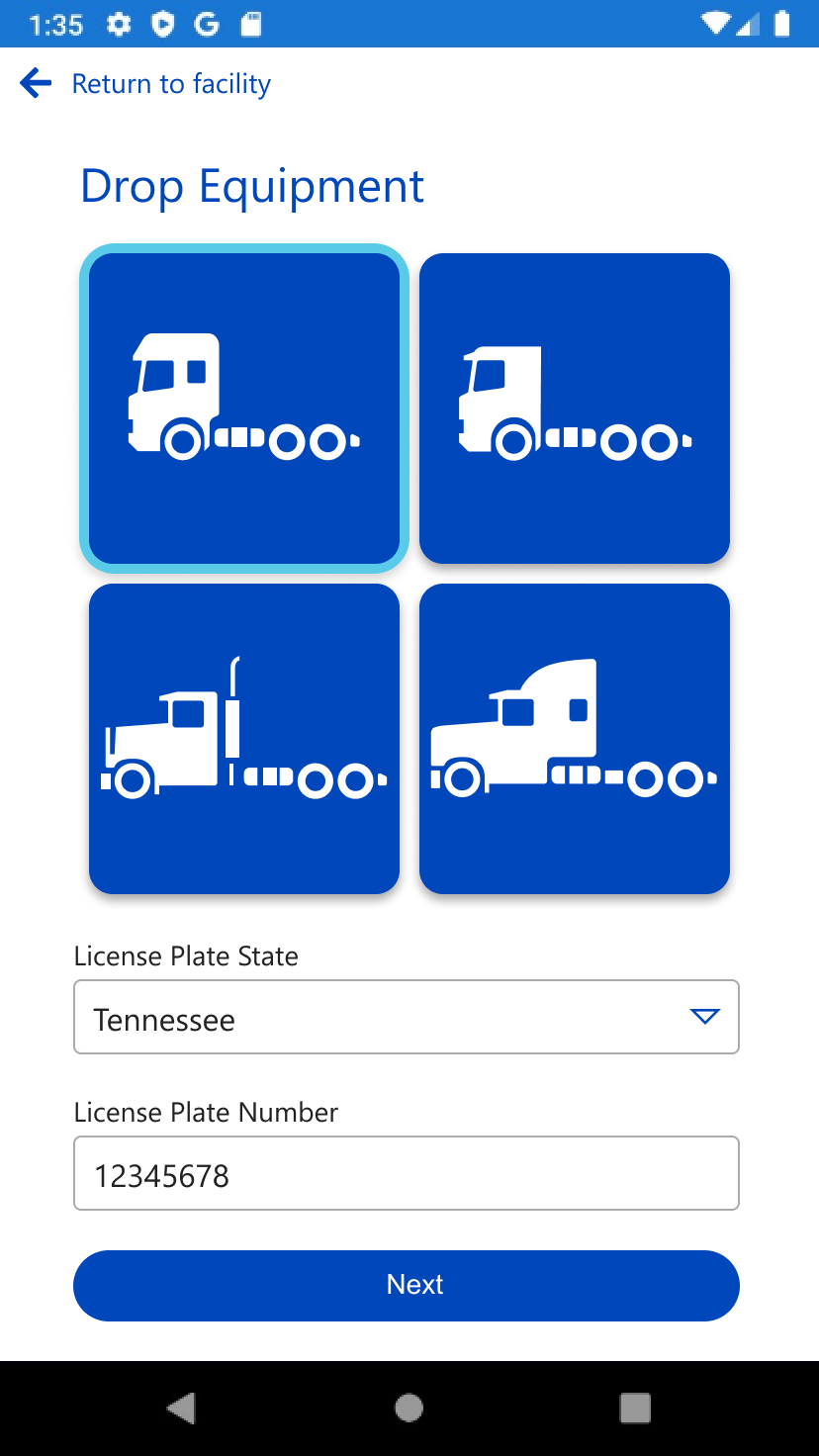
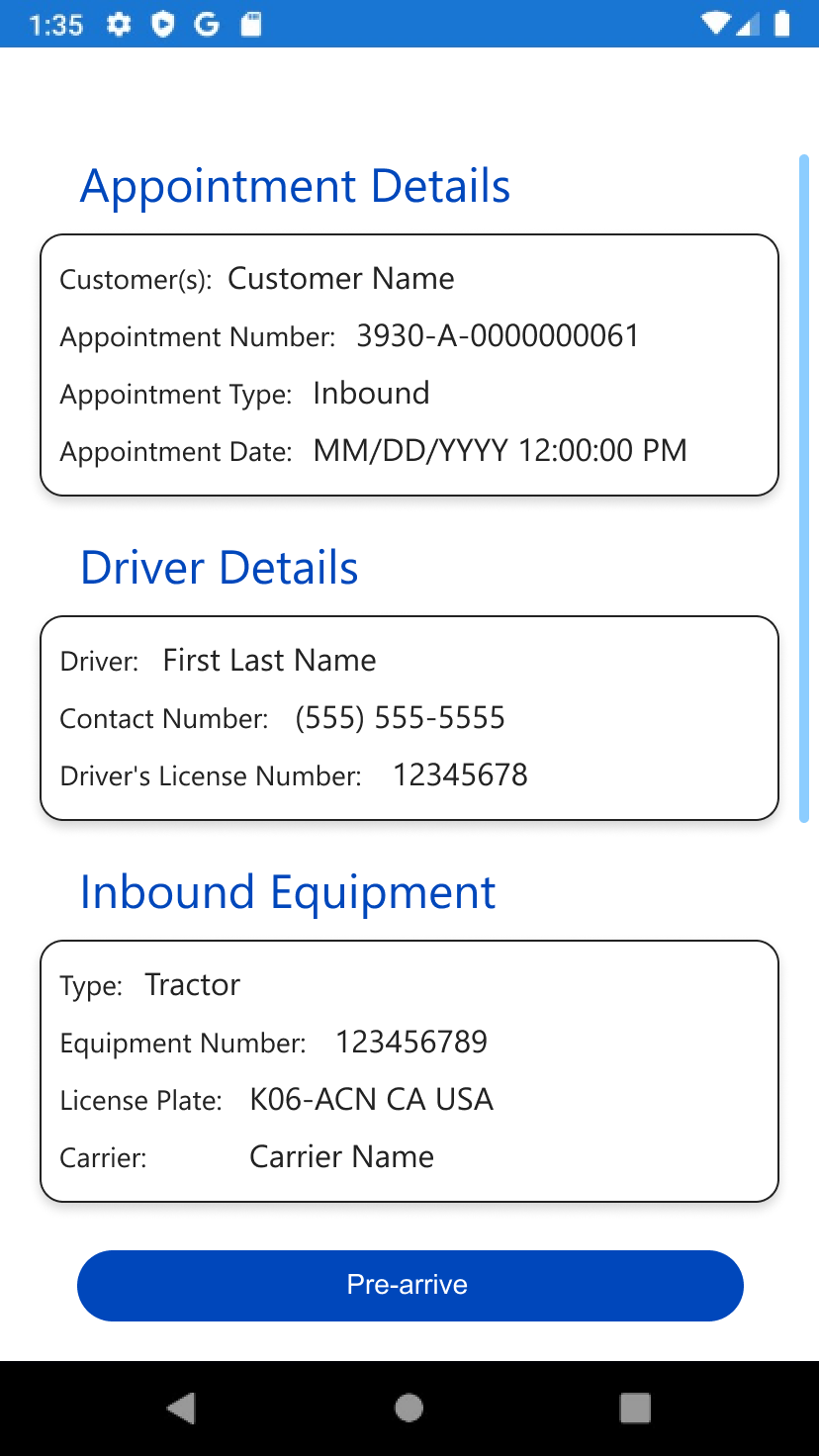
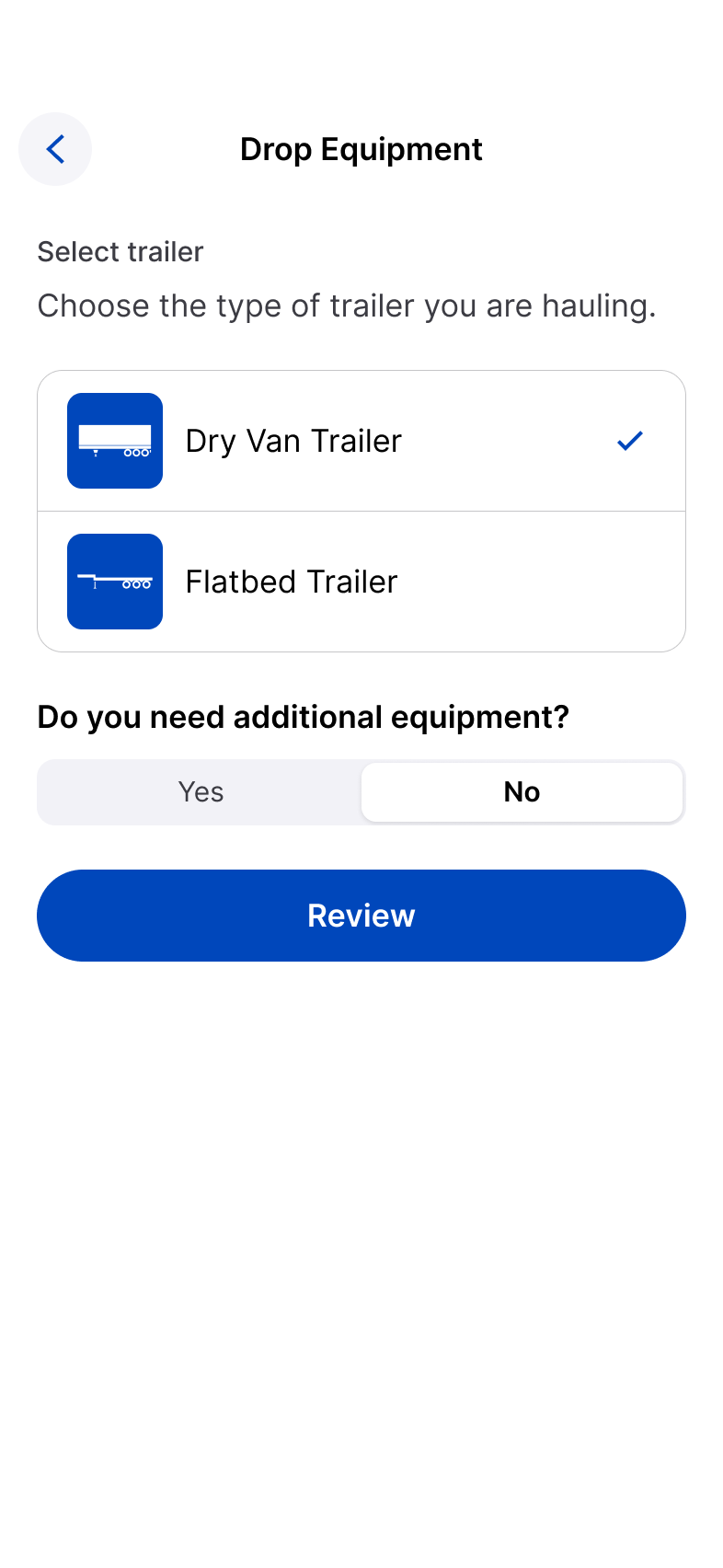
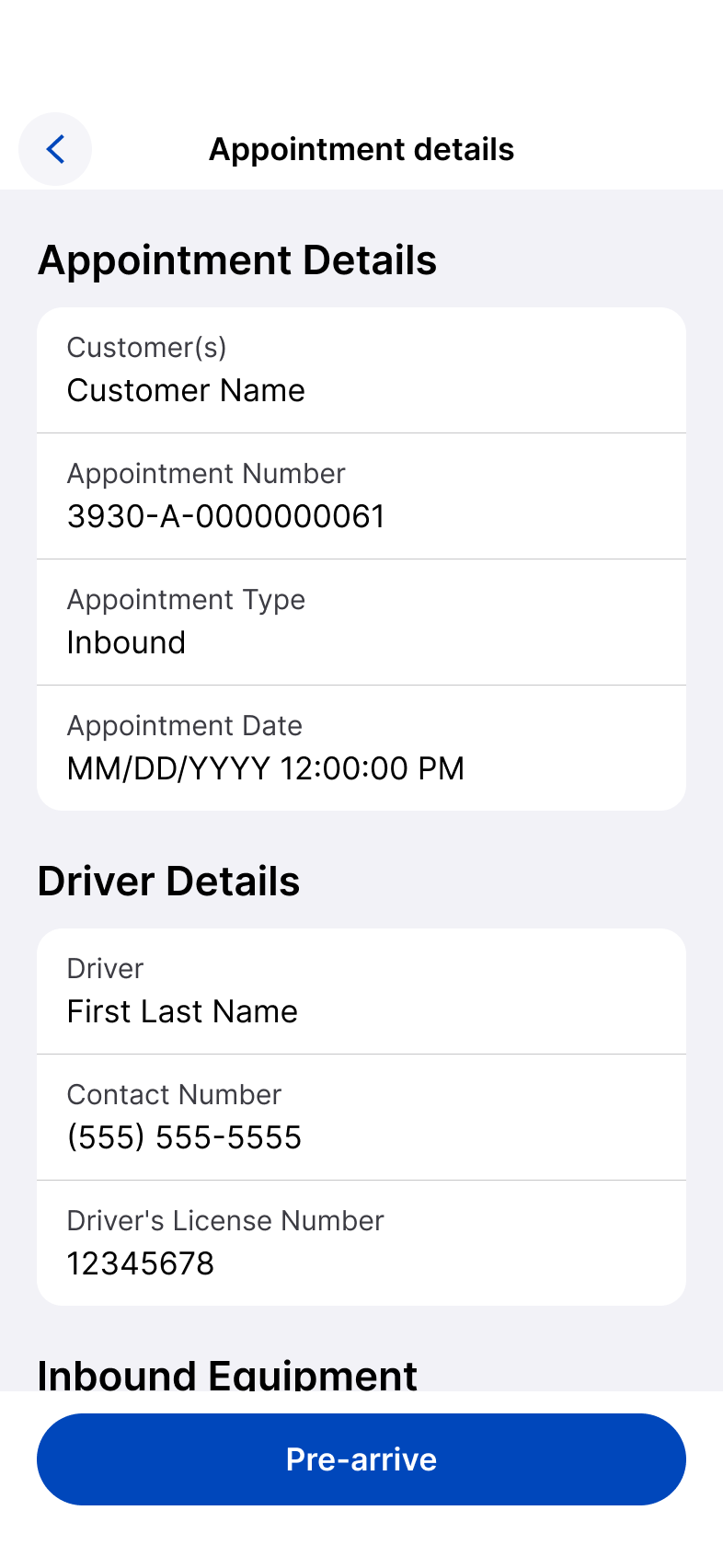
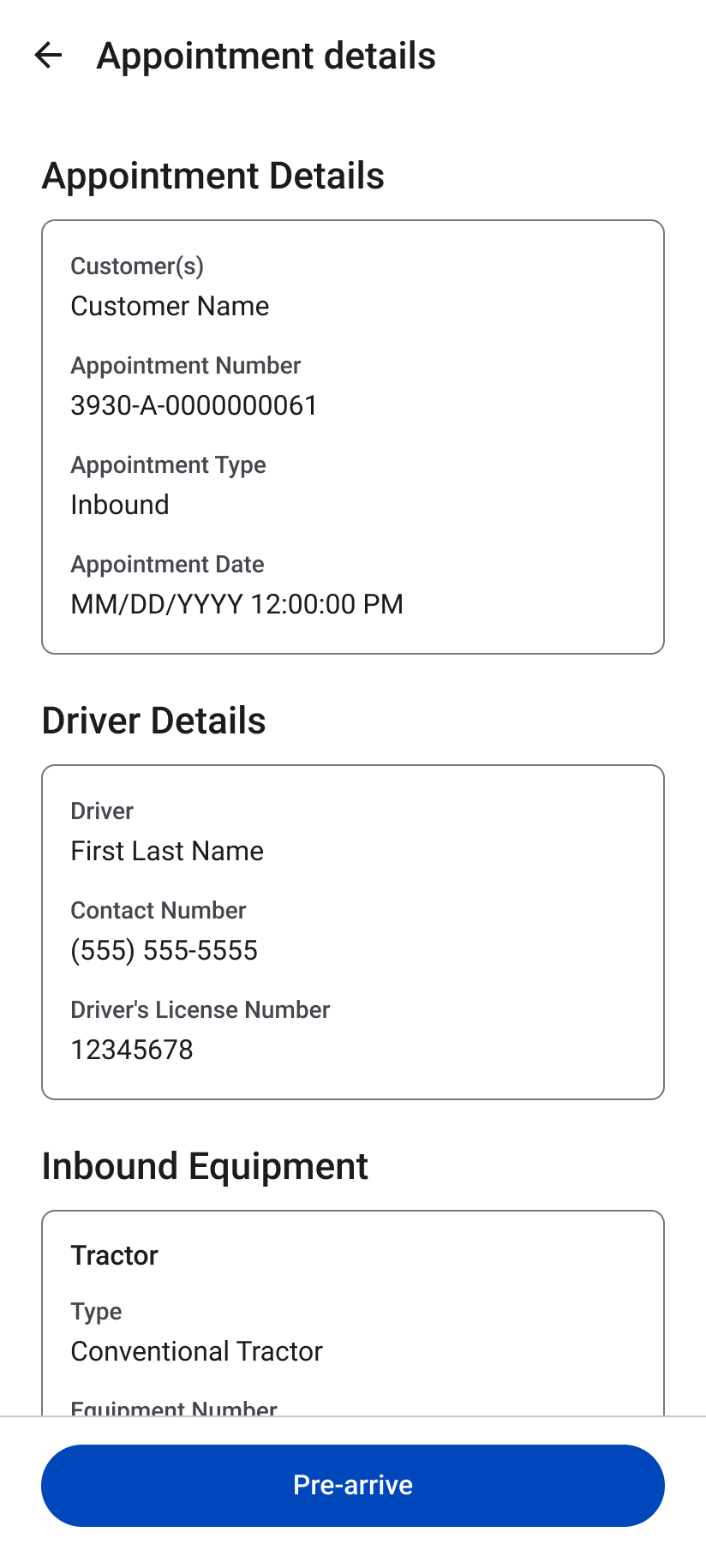
Separate tractor and trailer selection, then consolidate appointment, driver, carrier, and equipment information into review.
Recognizable equipment
Use readable names and visual selection states.
Clear state
Keep the selected option unambiguous.
Review before commitment
Bring operational information together before pre-arrival.
iOS — Apple Human Interface Guidelines
09 / Pre-Arrival + Completion
Carry the workflow through a clear operational finish.
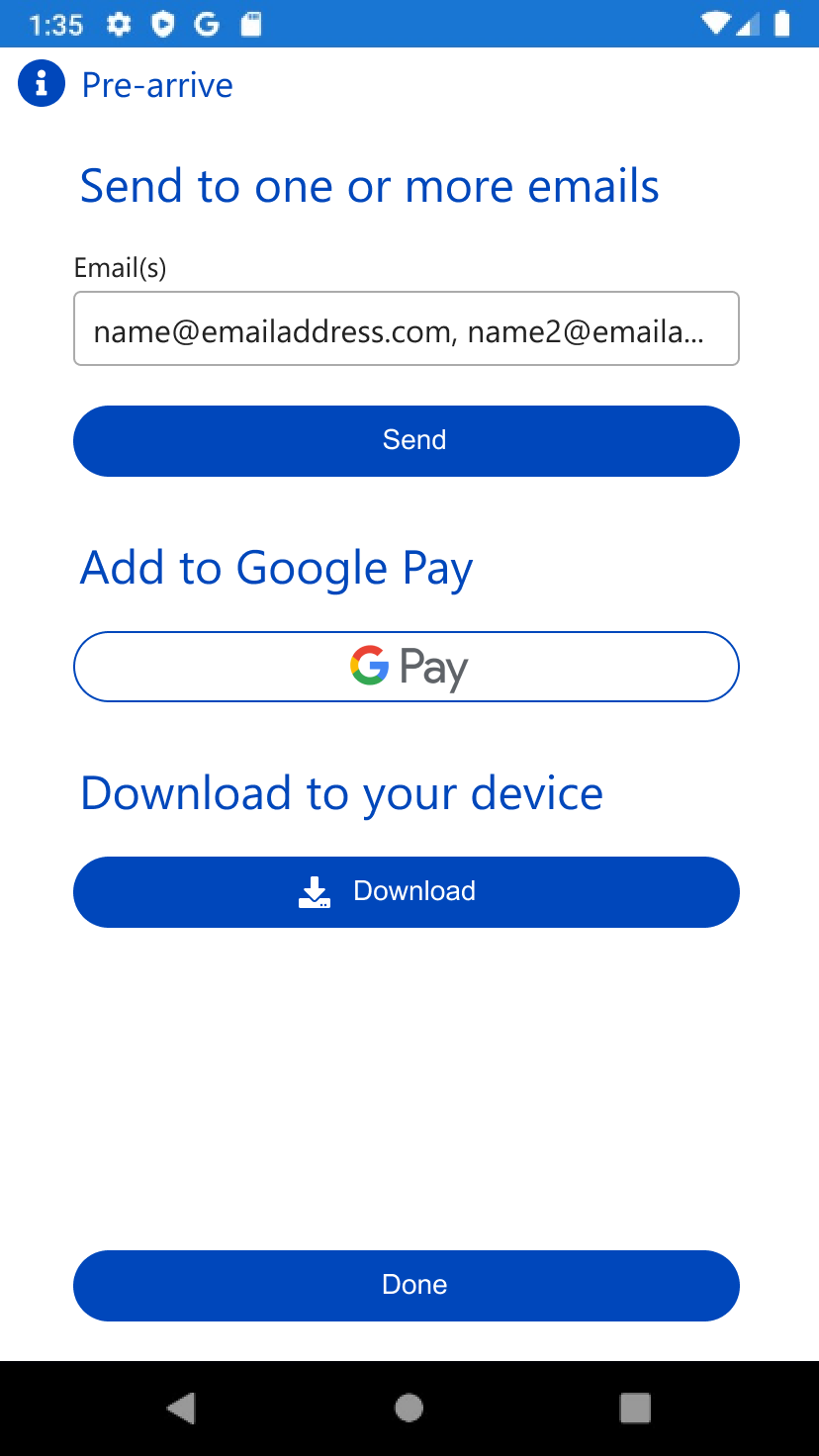
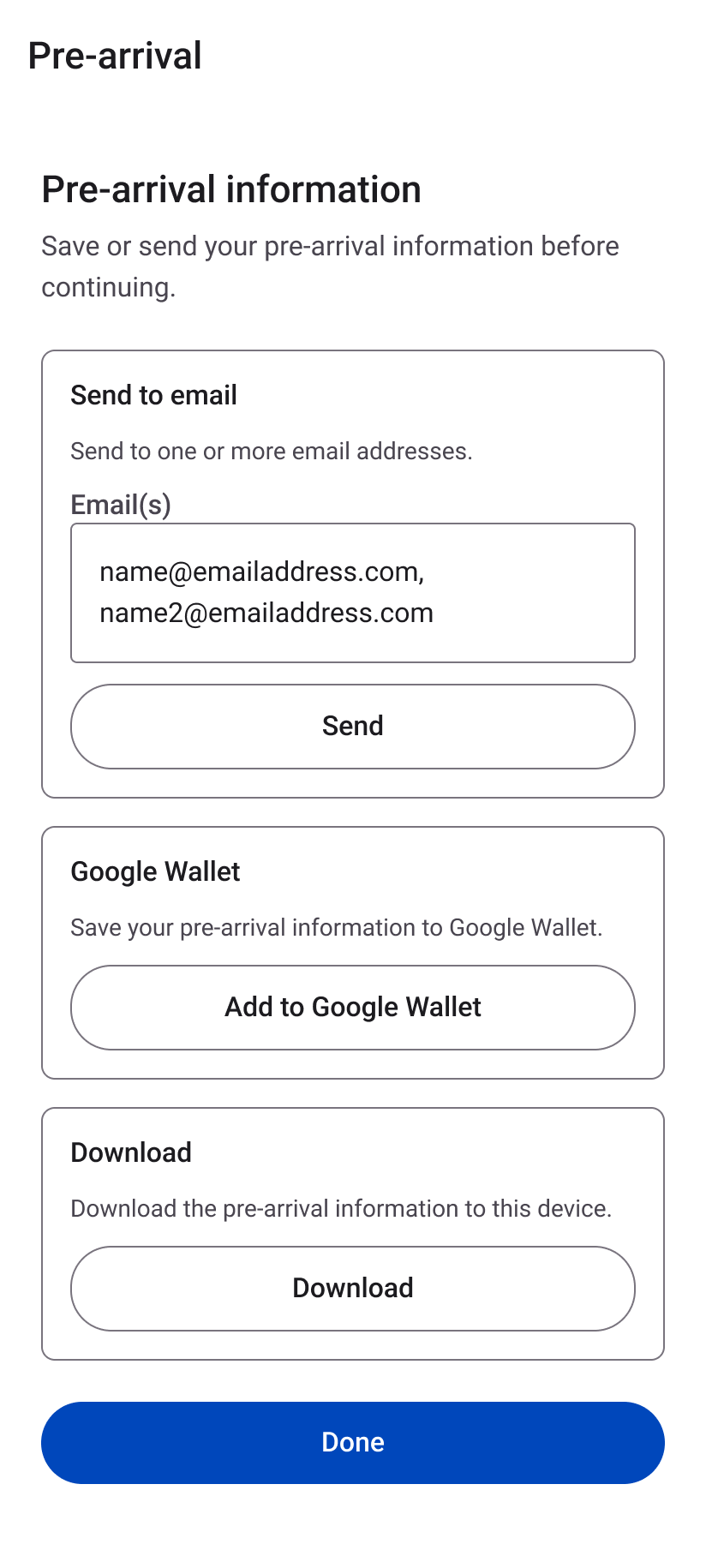
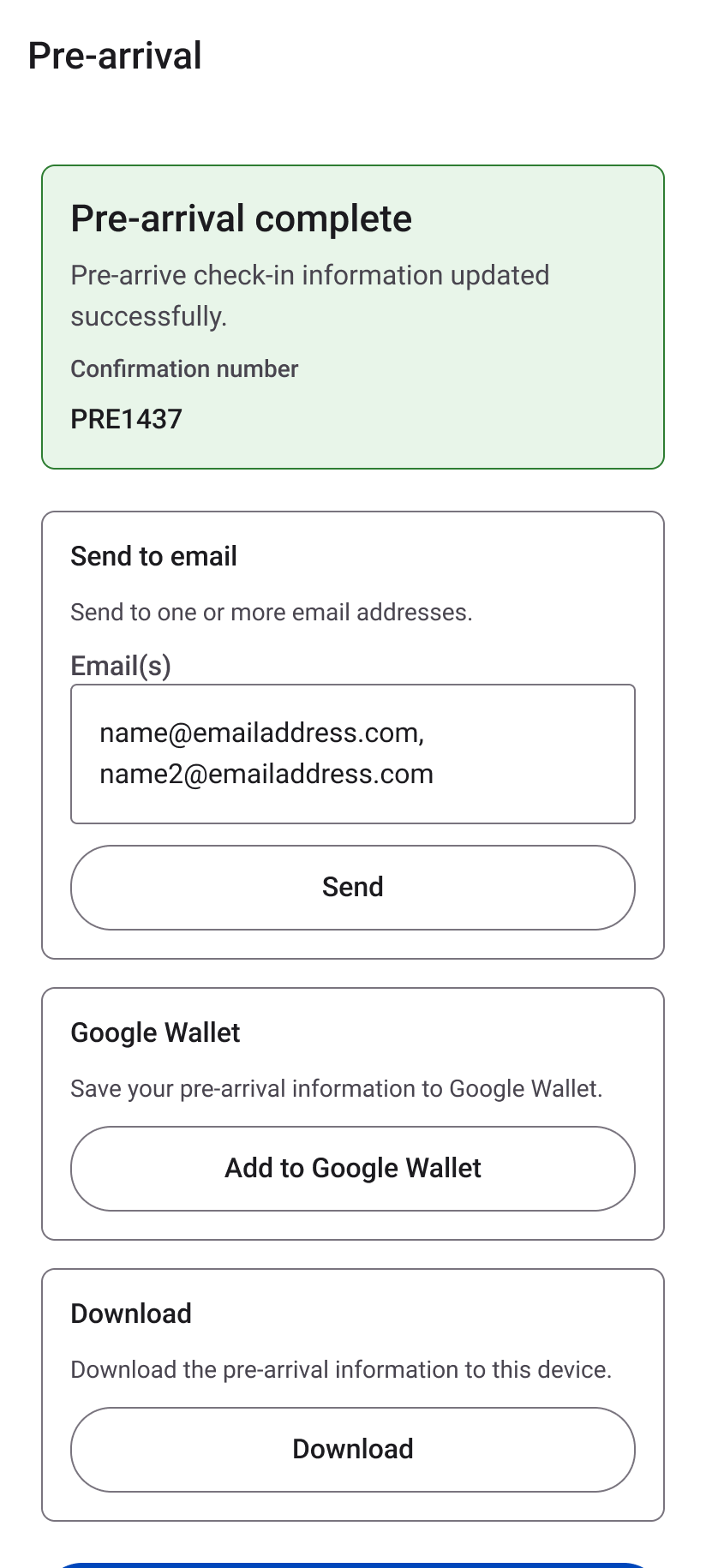
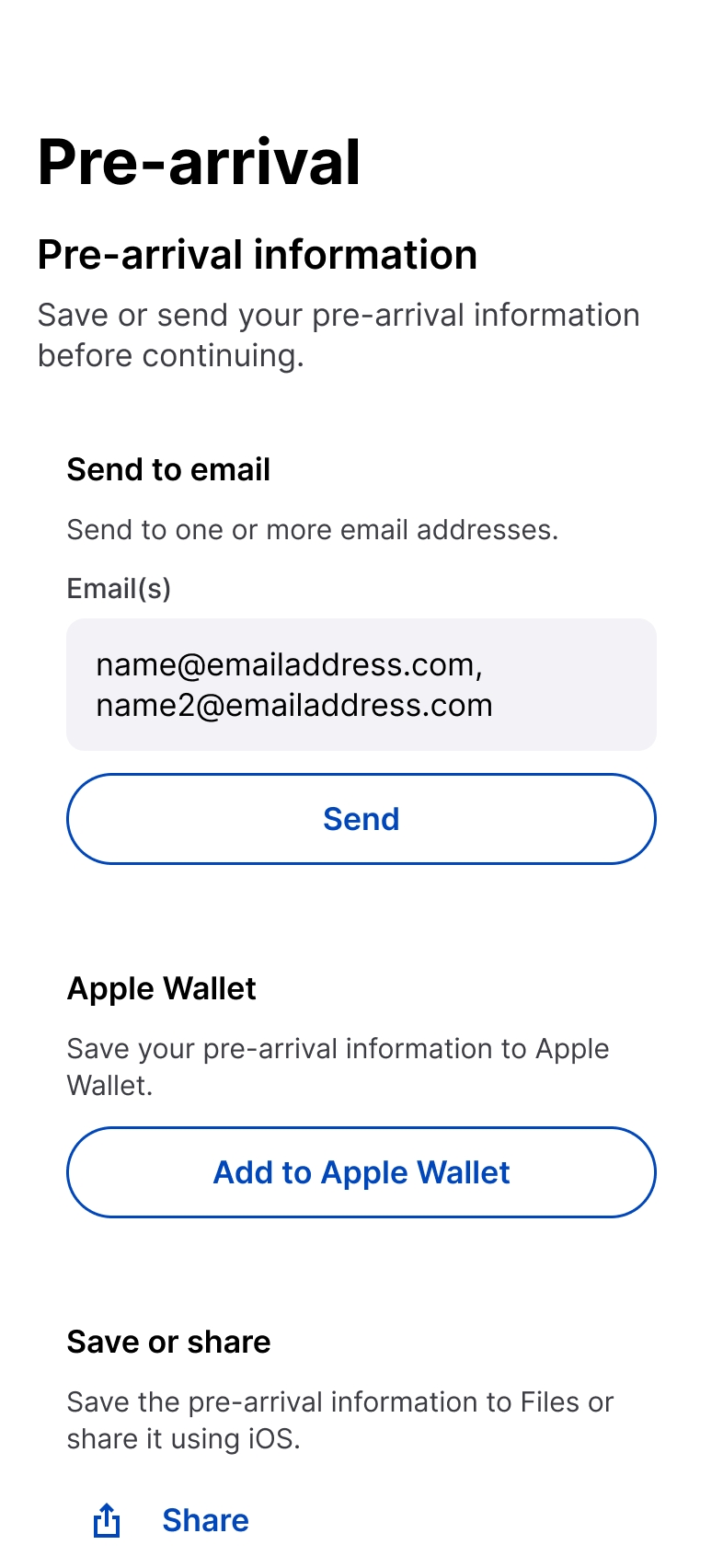
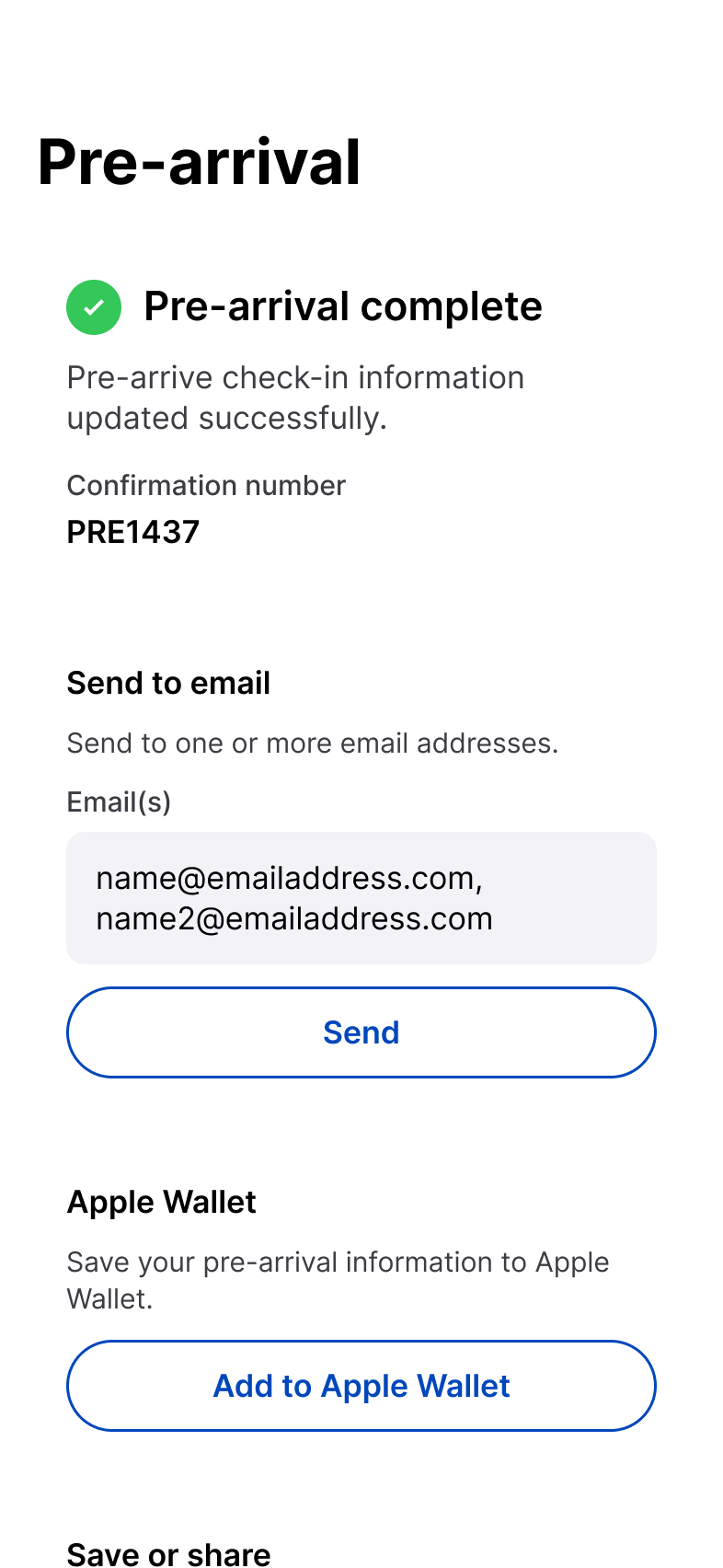
Drivers continue into pre-arrival, choose how to retain or share information, and receive a clear completion state.
Android can use Google Wallet and device download behavior. iOS can use Apple Wallet, Files, and system sharing. The product outcome remains the same.
Android — Material 3
iOS — Apple Human Interface Guidelines
10 / Native Platform Expression
Shared UX architecture does not require shared UI.
Android — Material 3
Roboto-based hierarchy
4dp · 8dp · 12dp · 16dp · 24dp · 32dp
Material form controls, selection patterns, action hierarchy, surface grouping, and Android navigation behavior.
iOS — Apple HIG
Apple-scale hierarchy
4pt · 8pt · 12pt · 16pt · 24pt · 32pt
Grouped content, checkmark selection, compact navigation, field treatment, and system share / Wallet / Files behavior.
Native interaction principle
Preserve product meaning across platforms. Adapt controls, navigation, selection, and system actions to conventions users already know.
11 / States + Accessibility
Operational clarity depends on more than the default screen.
A production mobile workflow needs to remain understandable when information is incomplete, invalid, unavailable, or successfully completed.
Loading
Make progress visible without changing task context.
Empty
Explain what is missing and what to do next.
Validation
Identify the field and provide correction guidance.
Error
Keep failure understandable and recoverable.
Selected
Make current facility, equipment, or option explicit.
Success
Confirm completion and preserve needed information.
Android
Readable scaling, meaningful semantics, touch targets, non-color-only states, and Material feedback.
iOS
Dynamic Type-aware hierarchy, VoiceOver-compatible semantics, target sizing, native controls, and non-color-only communication.
12 / Design System + Delivery
Translate one workflow into reusable platform systems.
Shared product behavior remains consistent while Android and iOS use distinct visual and interaction foundations.
Shared behavior
Define common workflow, validation, information, and completion logic first.
Platform mapping
Translate behavior into Android and iOS conventions.
Reusable components
Use platform foundations for fields, selections, surfaces, and state patterns.
Implementation alignment
Document behavior clearly enough to preserve intended logic.
Android foundation
Brand Primary #0047BB
Material surfaces · Roboto hierarchy · 4–32dp spacing
iOS foundation
GEODIS brand through native Apple conventions
Grouped surfaces · Apple-scale typography · 4–32pt spacing
13 / What Changed
What I’d carry forward.
Reframe, don’t replace
Preserve an operational job when the business logic is valid. Modernize how users move through it.
Shared IA ≠ shared UI
Share architecture without forcing identical interface patterns.
Native conventions reduce relearning
Platform familiarity lowers interaction behavior users need to interpret.
Review before commitment
Bring consequential selections together before completion.
Completion is part of the workflow
Confirmation, saving, sharing, and recovery are product experiences.
ONE PRODUCT MODEL.
TWO NATIVE INTERACTION SYSTEMS.
ONE CONTINUOUS DRIVER JOURNEY.